Skip to content
AI plant doctor

What's wrong with my plant?

Snap a leaf, stem, or whole plant. Sherleaf tells you what is wrong, how bad it is, and exactly how to treat it β€” in seconds.

Currently in closed testing on Google Play.

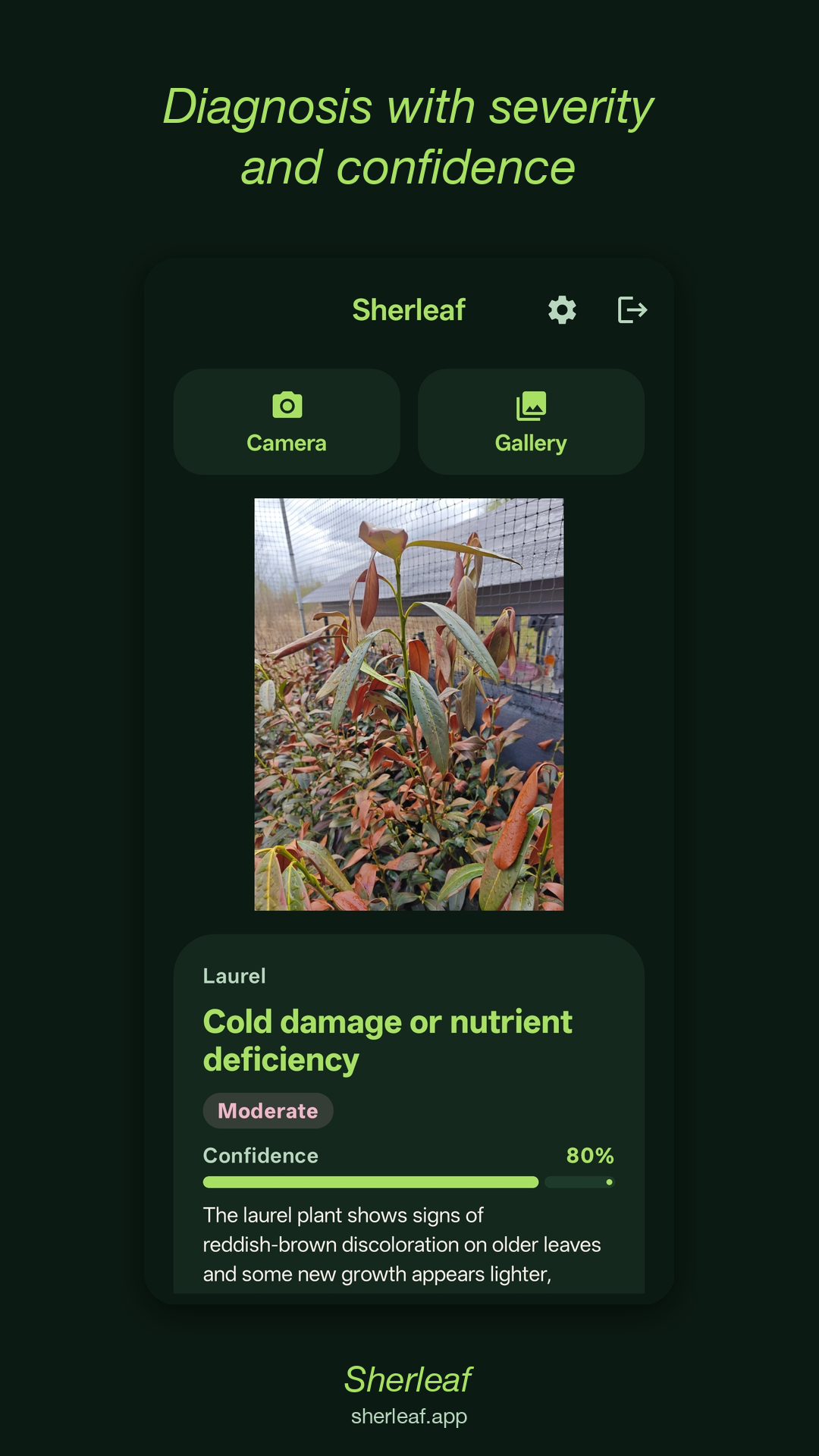
Sherleaf diagnosis screen showing a plant disease analysis

How it works

Three taps. No setup. Just your photo and an answer.

Step 1

Snap a sick plant

Photograph the affected leaf, stem, or the whole plant from a meter away in daylight.

Step 2

AI examines the symptoms

Google's Gemini vision model checks the discoloration, spots, deformation, and any visible pests.

Step 3

Get a treatment plan

Diagnosis, severity, what to do this week, and how to prevent it from happening again.

What we diagnose

Common problems Sherleaf catches across hundreds of houseplant, garden, and edible varieties.

Leaf spots & blight

Fungal and bacterial spotting, early and late blight, anthracnose.

Wilting & root rot

Overwatering, underwatering, root health issues, vascular wilts.

Pests

Aphids, spider mites, scale, mealybugs, thrips β€” and what to spray.

Sunburn & cold damage

Heat stress, scorched leaves, frost burn, transplant shock.

Nutrient deficiency

Nitrogen, magnesium, iron, calcium β€” yellow leaves, chlorosis.

Powdery mildew & mold

White fungal coating, fuzzy mold, treatment + airflow tips.

Made for plant people

Houseplant parents

When a leaf goes brown and you have no idea why. Sherleaf has an opinion.

Vegetable gardeners

Catch tomato blight, squash powdery mildew, and pepper wilts before they spread.

New gardeners

You don't need to know the species name. Just snap a photo.

Anyone who keeps killing basil

It's probably overwatering. Sherleaf will tell you in plain English.

Frequently asked questions

How does Sherleaf diagnose a plant from a photo?
Sherleaf uses Google's Gemini vision AI to analyze visible symptoms β€” discoloration, spots, deformation, pests, soil condition β€” and matches them against common plant problems. It then explains the most likely cause and the treatment.
Is Sherleaf free?
Yes. You can try Sherleaf without even signing in β€” your first diagnosis is completely free, no account needed. After signing in with Google, you get 5 free diagnoses. An optional Pro subscription unlocks up to 300 per day.
What plants does Sherleaf know?
Houseplants, vegetables, herbs, fruit trees, ornamentals β€” anything you might grow at home or in a garden.
Is this a substitute for an agronomist?
No. Sherleaf gives you a fast, intelligent hint β€” not a professional diagnosis. For high-value crops or worsening symptoms, consult an expert.
Does Sherleaf store my photos?
Yes. When you are signed in we store the photo and the diagnosis on our servers so you can see your history across devices and so we can investigate wrong diagnoses you flag. You can delete individual entries, clear all history, or delete your account from the app's Settings screen. Photos are never used to train AI models.
Why are my plant leaves turning yellow?
Yellow leaves can mean overwatering, underwatering, nutrient deficiency, or too little light. Snap a photo with Sherleaf and the AI will analyze the pattern of yellowing to tell you the most likely cause and how to fix it.
How do I identify a plant disease from a photo?
Open Sherleaf, take a close-up photo of the affected leaf or stem in good lighting, and tap Diagnose. The AI examines visible symptoms like spots, discoloration, wilting, and pests, then tells you what the problem is and how to treat it.
Can Sherleaf identify pests on my plants?
Yes. Sherleaf can detect common pests like aphids, spider mites, mealybugs, scale, thrips, and caterpillars from a photo. It will also tell you the best treatment to get rid of them.

Be the first to know when Sherleaf opens up.

Join the closed-testing waitlist. We email you the install link the moment it goes live.